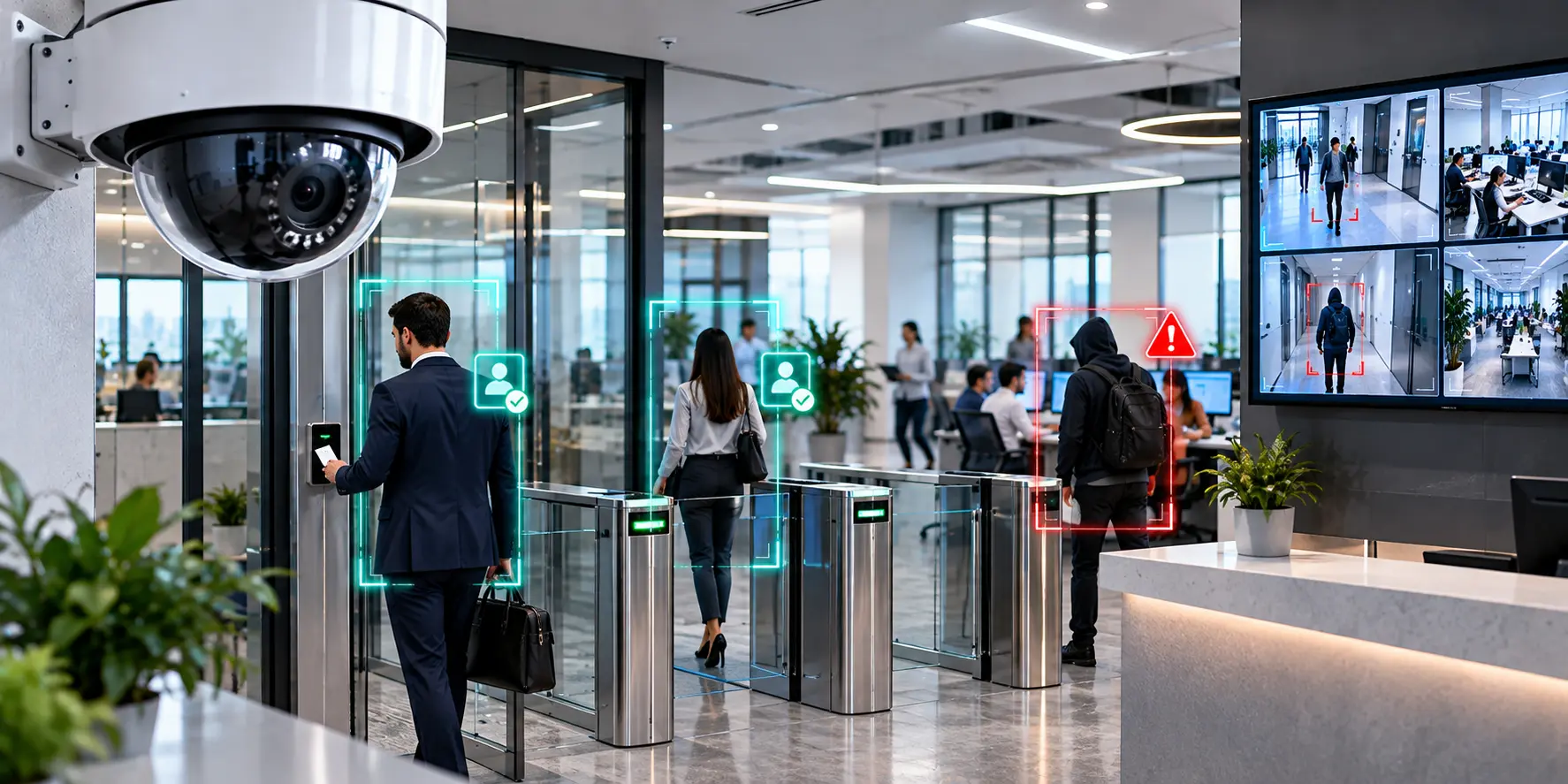
 AI Generated
Most offices already have layered security in place — access cards at the entrance, a CCTV network covering common areas, maybe a receptionist logging visitors. On paper, that looks comprehensive. In practice, it leaves significant gaps: an access card doesn't stop tailgating, recorded footage doesn't stop a laptop from disappearing off a desk, and nobody reviews hours of video unless something has already gone wrong. Office Video Analytics exists precisely to close these gaps — not by adding more hardware, but by making the cameras already installed actually understand what they're seeing.
The Blind Spot Between Access Control and Actual Monitoring
Access control answers one question: did an authorized card get swiped? It says nothing about what happens after someone is inside — whether they wander into a restricted server room, linger near an unattended workstation, or access a cabin after hours when nobody expects anyone there. This is the blind spot a proper Office AI Security System is designed to cover. Rather than just recording what a camera sees, the system follows a continuous connect-configure-monitor-detect-alert cycle, detailed in How It Works: it connects to the existing CCTV NVR, applies rules specific to the office, and flags the moment something falls outside them.
The distinction matters because most office security incidents don't involve someone without a valid access card — they involve someone with legitimate access behaving in a way nobody was watching for.
What Office Video Analytics Actually Watches For
Office Video Analytics is built around configurable rules rather than generic motion alerts, which is what separates it from a standard camera feed. An office can set detection scenarios for restricted-zone entry around server rooms or finance cabins, unattended equipment in open work areas, or unusual movement after standard working hours — each one a distinct, customizable rule rather than a blanket "something moved" trigger. The full range of detection and alerting capabilities is outlined under Key Features, including real-time monitoring across every connected camera with no one required to sit and watch a screen.
This is also where the technology moves from theoretical to demonstrable. The Live Detection section shows real, unstaged examples of the same underlying detection logic — a violation flagged and alerted within moments of occurring, not discovered during a later footage review. The specific examples shown come from a food-service deployment, but the mechanism — instant detection, instant alert — is identical to what an Office AI Security System applies to a workplace's own restricted zones and after-hours rules.
Protecting Valuable Assets Without Adding Headcount
Offices hold a disproportionate amount of value relative to their footprint: laptops, servers, confidential documents, and increasingly, sensitive client data sitting on unattended screens. Hiring dedicated security staff to watch every camera feed around the clock isn't realistic for most businesses, and it isn't necessary either. AI Surveillance for Offices replaces that requirement with continuous automated monitoring — the system watches every feed simultaneously and only surfaces an alert when a configured rule is actually broken, rather than requiring a person to notice it live.
When something is flagged, alerts reach the right person in seconds through WhatsApp, email, or the dashboard — not the next morning when someone finally checks the recordings. Automated daily reports add a second layer, compiling every alert and observation into a summary that gives facility managers a documented pattern of activity, which is useful both for internal accountability and for spotting a repeated issue, like the same door being propped open after hours.
Scaling From a Single Office to a Corporate Campus
Not every business runs the same size operation, and an Office AI Security System needs to fit accordingly. Under Product Variants, a compact device supporting up to 6–7 cameras is specifically positioned as ideal for small offices, alongside restaurants, retail stores, and clinics — making it a realistic fit for a single-location business without enterprise-level cost or complexity. For larger corporate buildings or organizations running multiple floors or branch offices, an industrial-grade processing unit supporting 8+ cameras and large-scale deployments is built for exactly that scenario, with a centralized dashboard giving one point of visibility across every location.
Closing the Gap When the Network Goes Down
A security system that stops working the moment the internet does isn't actually closing any gaps — it's just relocating them to whenever connectivity happens to fail. On-premises video processing keeps detection and monitoring active during network outages, automatically syncing alerts and logs once the connection is restored. For an office that can't predict when an internet disruption might happen, this means workplace monitoring doesn't have a scheduled or unscheduled blind spot.
The Bottom Line
Access cards and basic CCTV cover the entry point and the archive — what they don't cover is everything that happens in between. Office Video Analytics fills that gap by turning existing cameras into something that actively watches and interprets, rather than just records. Combined into a proper Office AI Security System, this closes the space between "someone got in" and "something went wrong" — protecting valuable assets and ensuring workplace safety in a way access control alone was never designed to do. Get in touch to see how it applies to your office's specific layout and camera setup.
FAQs
Access control only verifies entry — it doesn't monitor what happens afterward, such as someone entering a restricted zone, leaving equipment unattended, or accessing the office after hours. Office Video Analytics covers exactly that gap.
It can be configured to detect restricted-zone entry, unattended equipment in open work areas, and unusual after-hours movement, each flagged and alerted the moment it occurs.
No. The system connects directly to an existing CCTV NVR and IP cameras, so an office can add AI-driven monitoring without new surveillance hardware.
Both. A compact device supporting up to 6–7 cameras is built for small offices, while an industrial-grade variant supporting 8+ cameras suits larger corporate buildings and multi-floor facilities.
On-premises video processing keeps detection running during connectivity loss, automatically syncing alerts and reports to the dashboard once the connection is restored.
Your cameras already see everything. Patrol makes them understand everything.
Transform surveillance footage into actionable intelligence. Receive real-time alerts, ensure SOP compliance, and protect people, assets, and reputation.